Portfolio of my works

Metrics for things
you care about

Cosmometrics is a one-person studio. I design, build, and ship every app here: golf, snow, fitness, focus, and a couple of utilities. The apps run without internet access, and without needing to signup for accounts.

>8Apps shipped
5iOS
1Android
>3Web

Selected work

Selected mobile apps, and then web apps.
Tap any screenshot to see it full size.
GOLF app icon

Golf Tracker

GOLF: AI GPS Tracker
iOS Live

A GPS rangefinder and shot logger that doubles as a caddie. Record every shot from where you stand, and the app learns your real distances club by club, then tells you what to hit next.

  • Bird's eye view with live distance to the pin
  • AI caddie that recommends a club from your own recorded shots
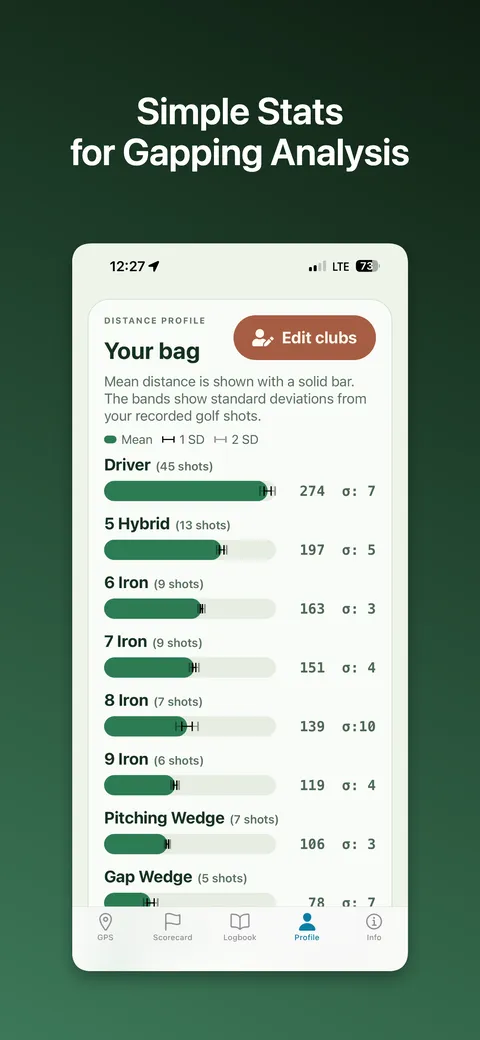
  • Gapping analysis: distance average and range for every club
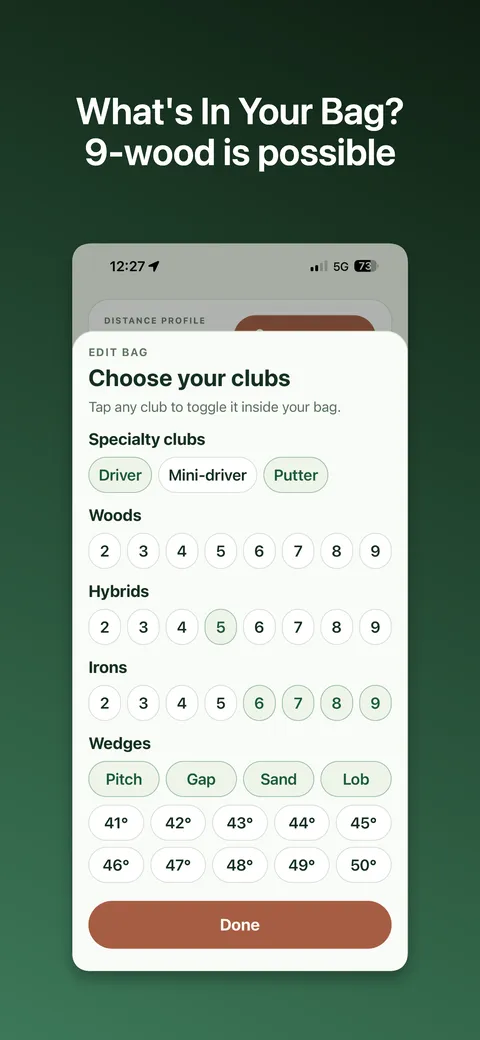
  • Custom editable bag from mini-drivers to lob wedges by loft
  • Hole-by-hole scorecard and logbook
  • GPX data import and export
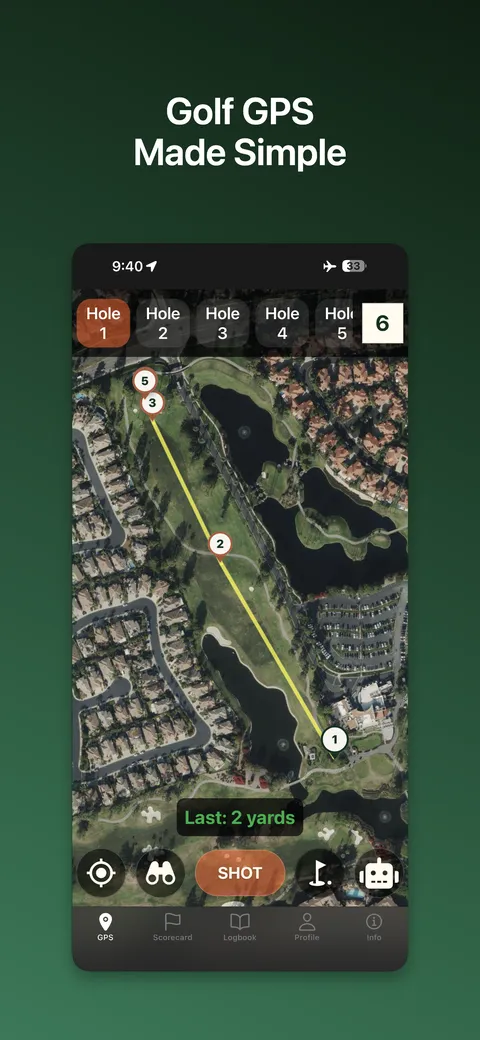
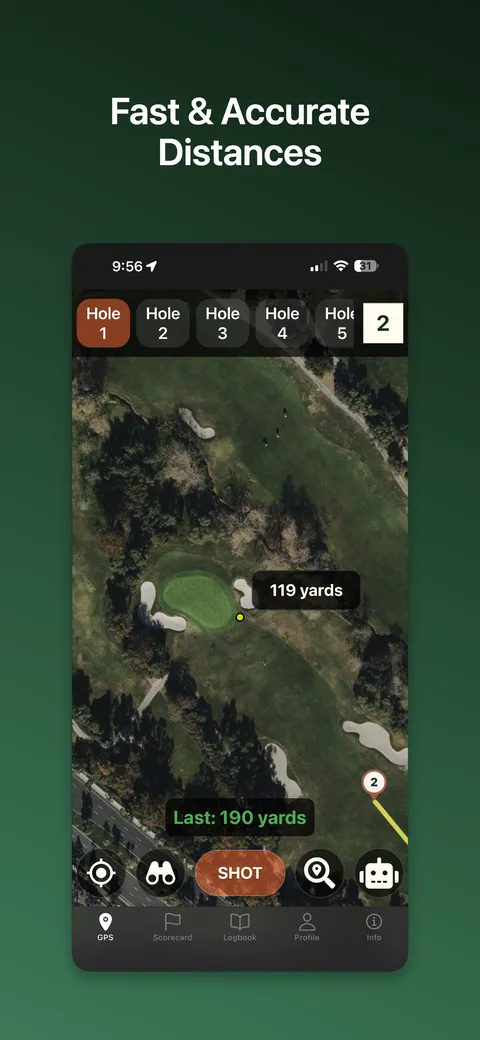
Golf Tracker showing 119 yards to the pin on a satellite hole view
Live distance to the pin
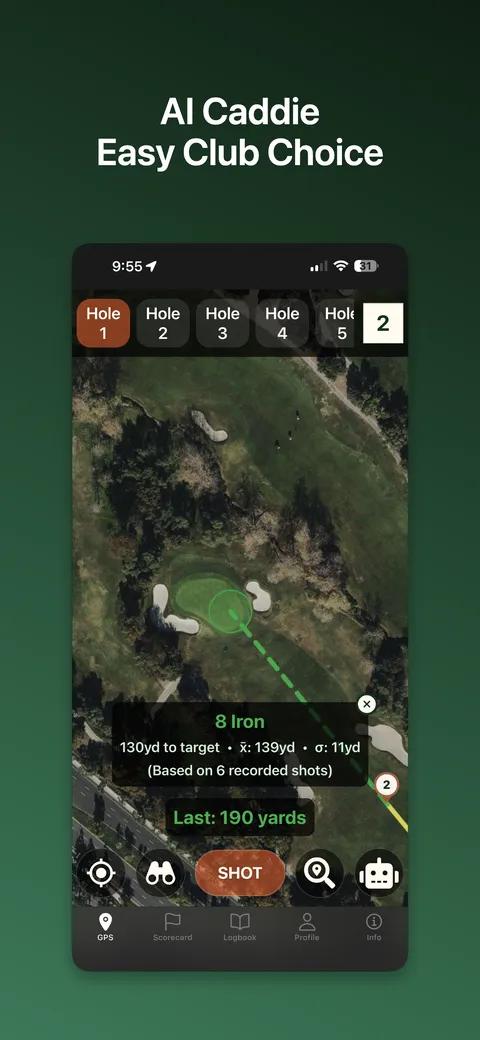
AI caddie recommending an 8 iron for a 130 yard shot
The caddie picks a club from your own shot history
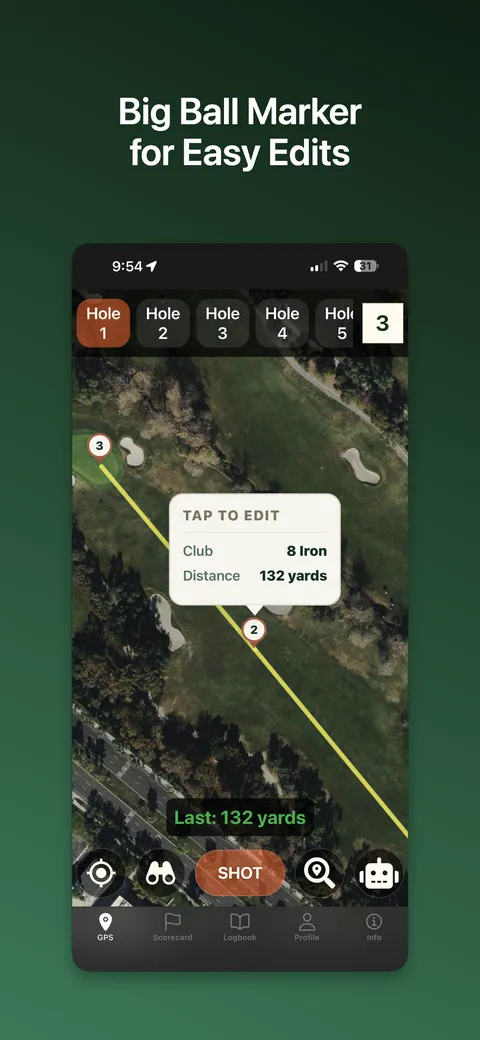
Ball marker on the map showing club and distance, tap to edit
Tap the ball marker to edit a shot
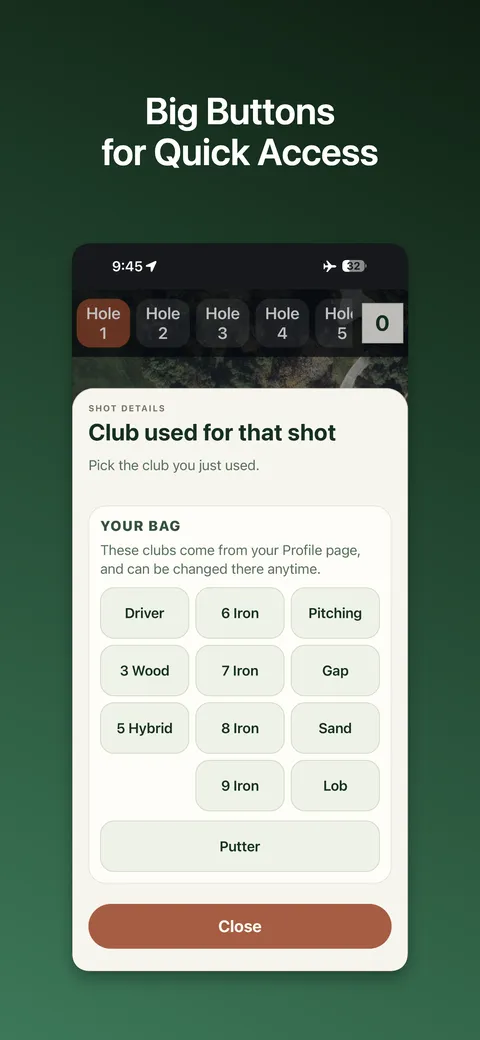
Club picker with large buttons for every club in the bag
Big buttons to log the club you just used
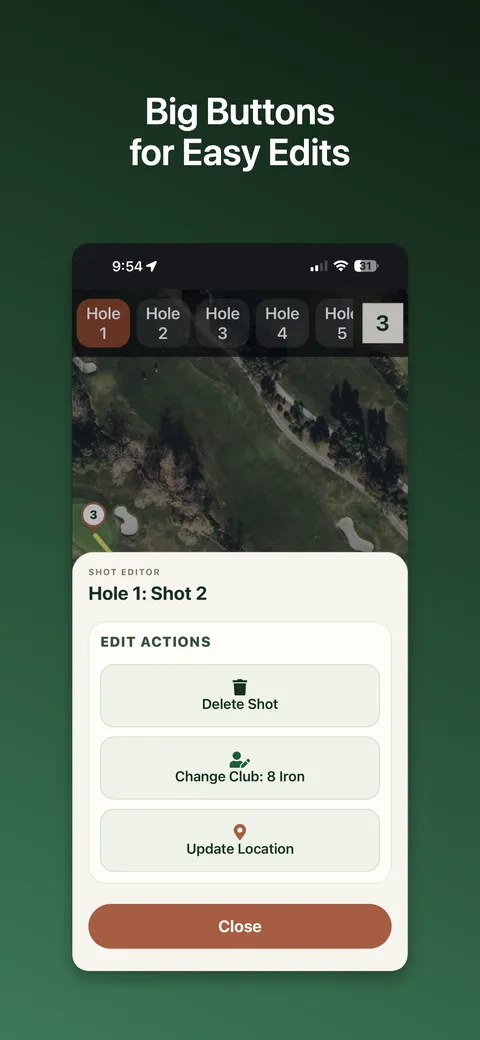
Shot editor with delete, edit club, and update location actions
Delete, edit club, or move any recorded shot
Distance profile listing each club with average distance and standard deviation
Your bag, with average distance and standard deviation per club
Club chooser with woods, hybrids, irons and wedges by loft
Customize your bag
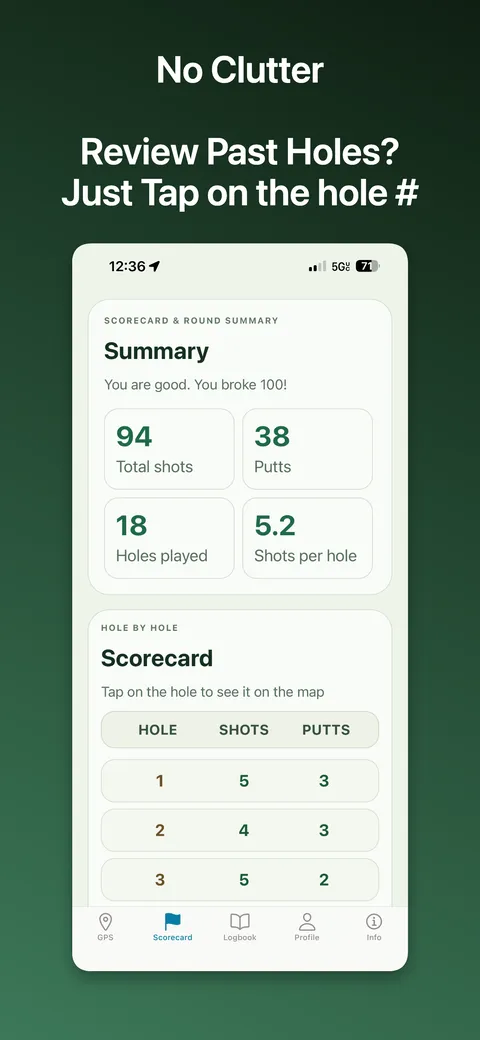
Round summary with total shots, putts, and a hole-by-hole scorecard
Round summary and hole-by-hole scorecard
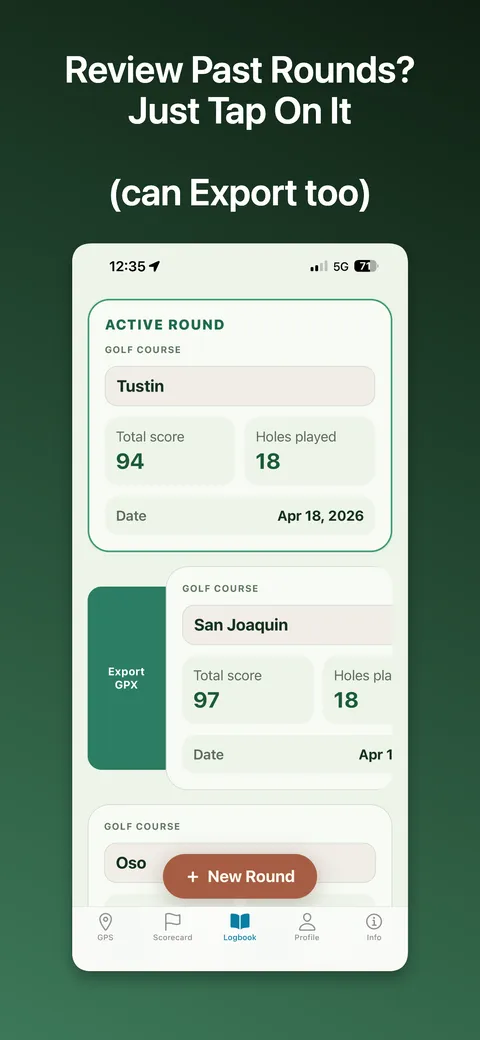
Logbook of past rounds with scores, dates, and a GPX export action
Logbook of past rounds, each exportable as GPX
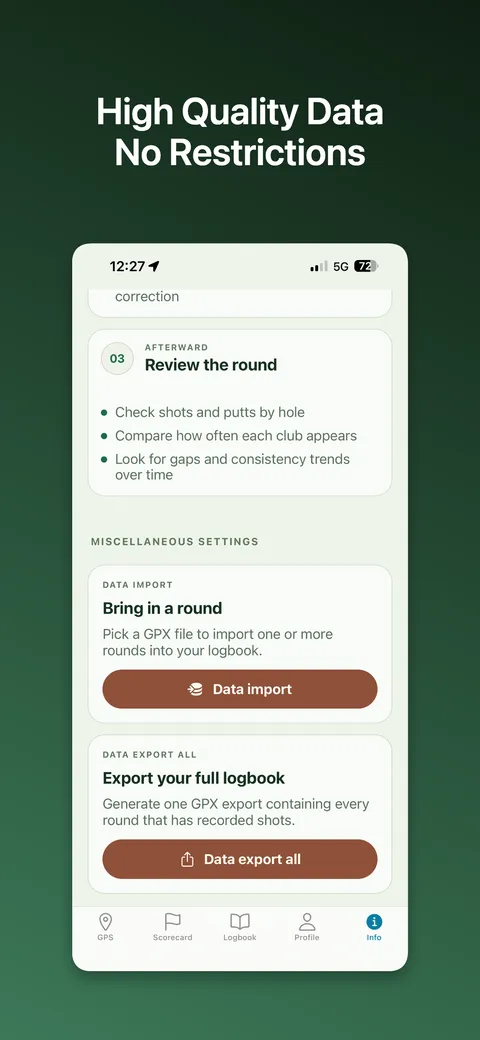
Data import and full logbook export options
Import a round, or export the whole logbook
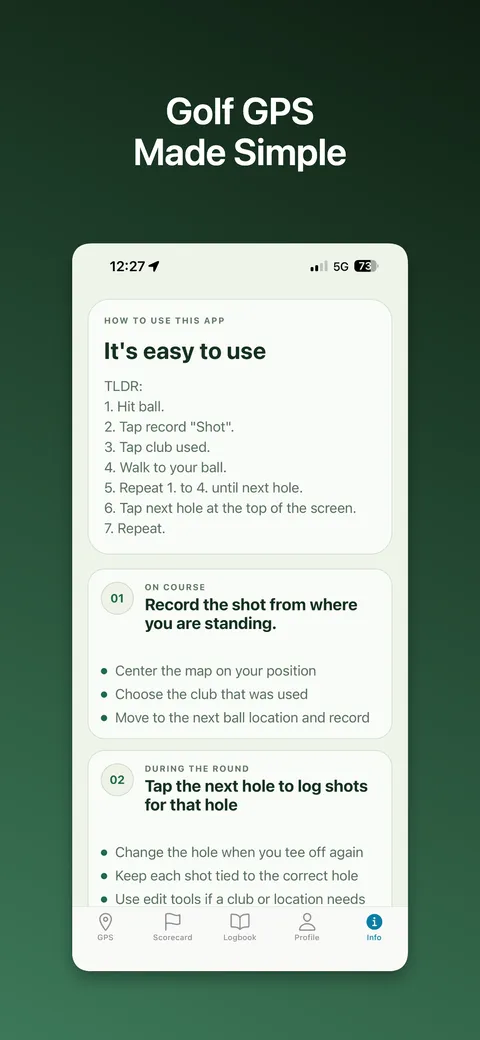
In-app how-to explaining the seven-step recording flow
Simple how-to
A full hole traced shot by shot across the fairway
The full hole, traced shot by shot
POW RIDER app icon

Snowboard & Ski Tracker

POW RIDER: Snowboard & Ski
iOS Live

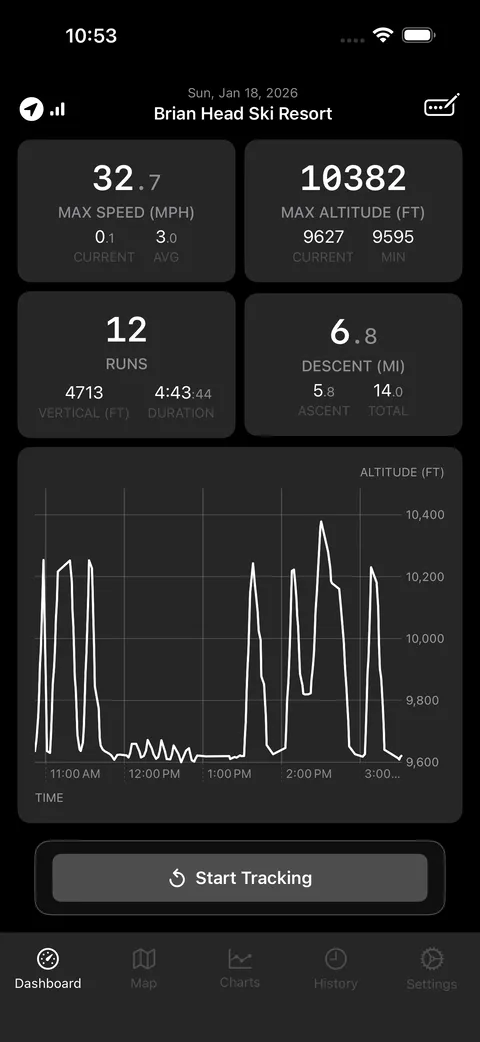
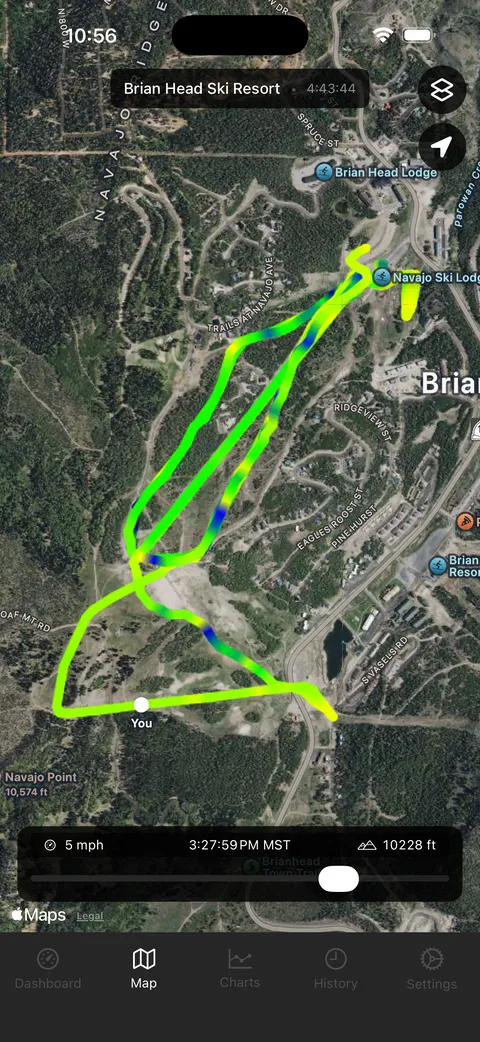
Session tracking for the mountain. It counts your runs, measures vertical, and lets you replay the whole day as a speed-colored trace you can scrub through minute by minute.

  • Live dashboard: speed, altitude, run count, vertical, descent
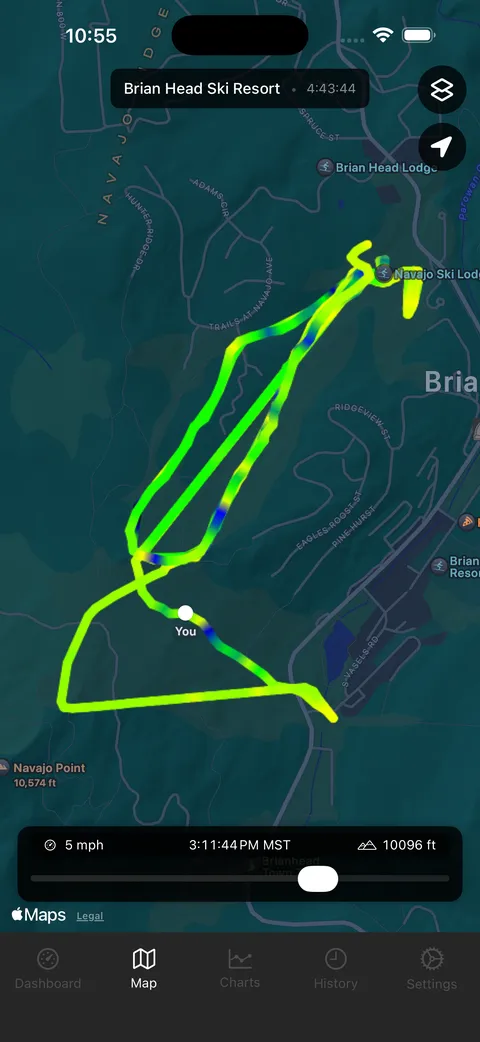
  • Speed-colored GPS trace over satellite or terrain maps
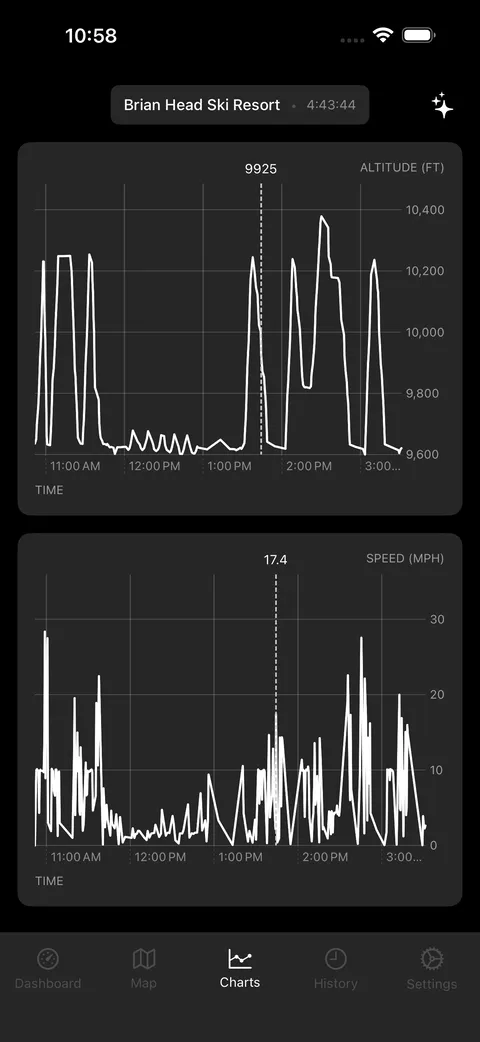
  • Altitude and speed charts
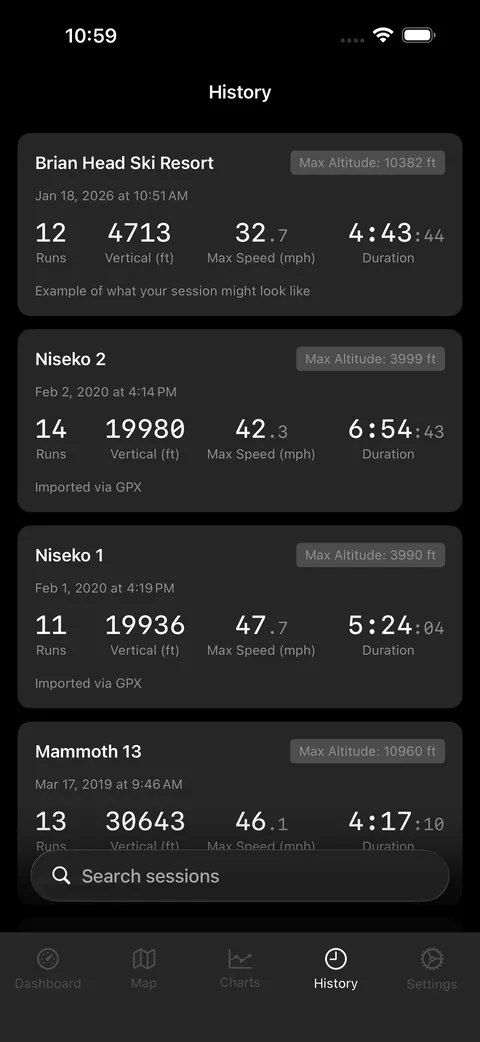
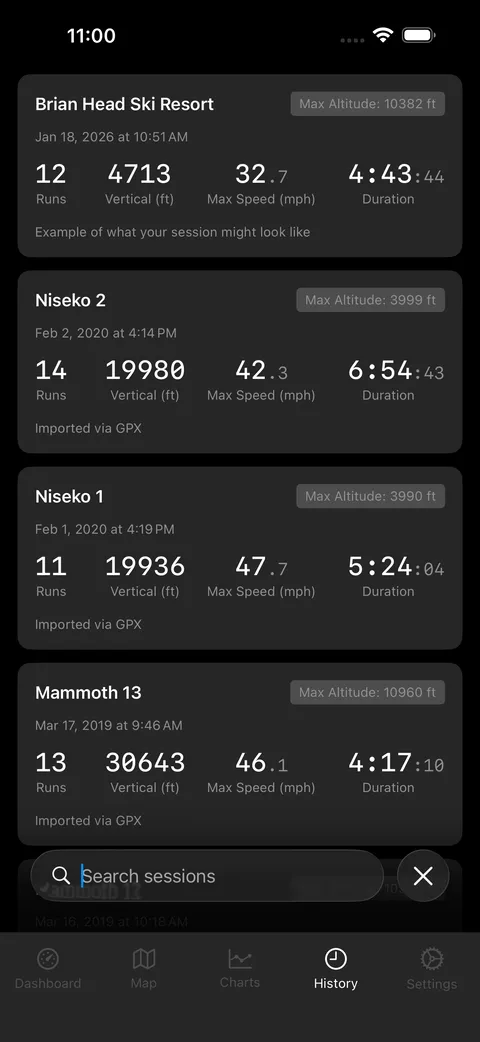
  • Searchable session history and summary
  • High quality data export
Session dashboard showing 32.7 mph max speed, 10382 ft max altitude, 12 runs
Dashboard: speed, altitude, runs, vertical
Speed-colored GPS trace of a day at Brian Head over satellite imagery
Speed-colored run trace over satellite
The same run trace drawn over a terrain map
The same trace on the terrain map
Altitude and speed line charts for the session with a scrub line
Altitude and speed, scrubbable across the day
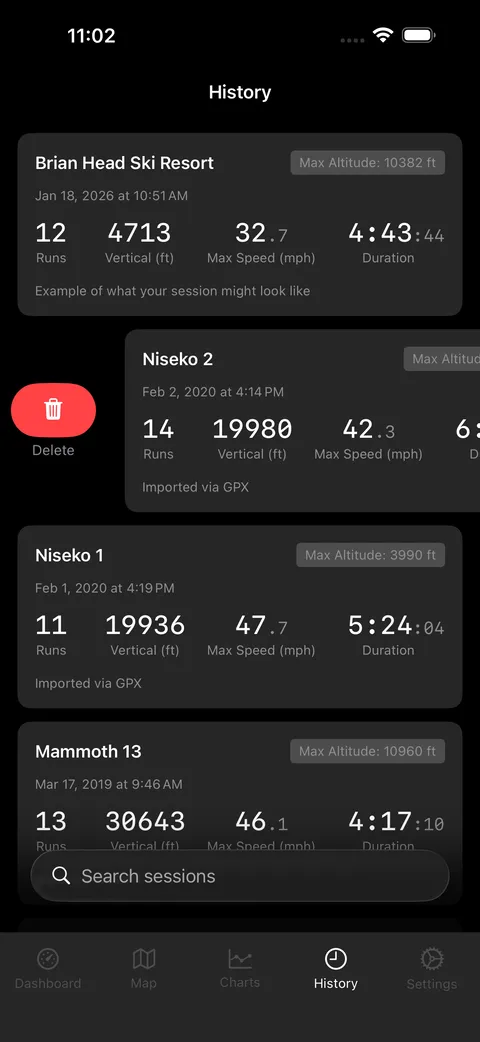
List of recorded snowboarding sessions
Every session, kept on the device
Searching the session history
Search back through past sessions
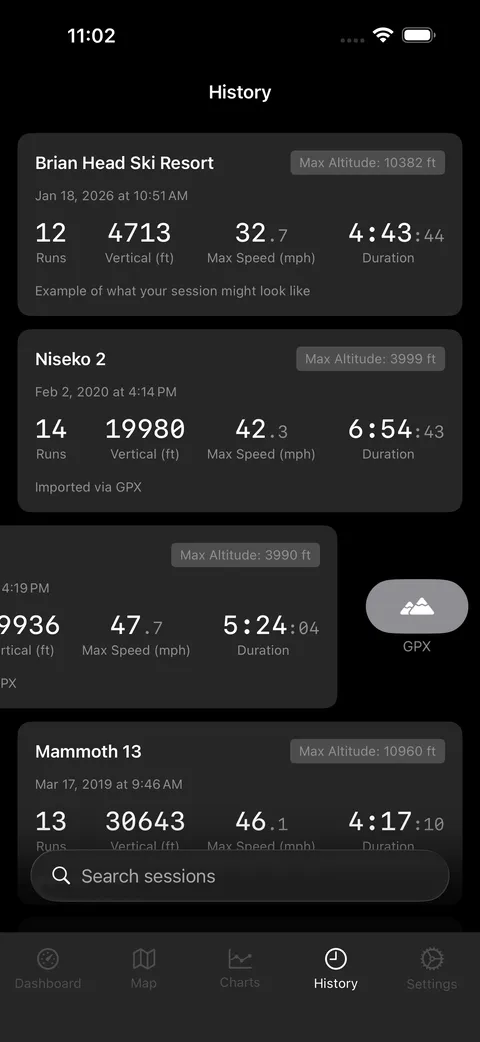
Exporting a single session from the history list
Export a single session
Deleting a session from the history list
Delete a session you would rather forget
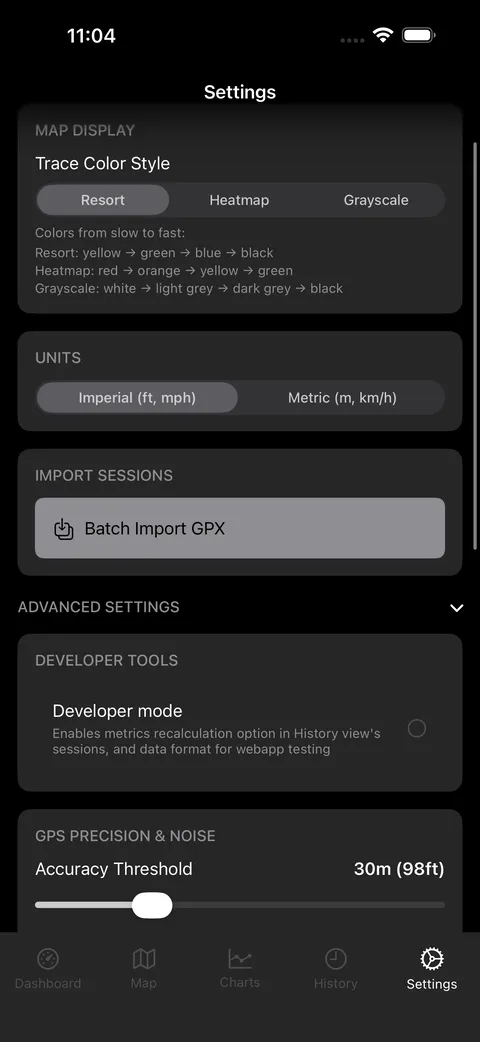
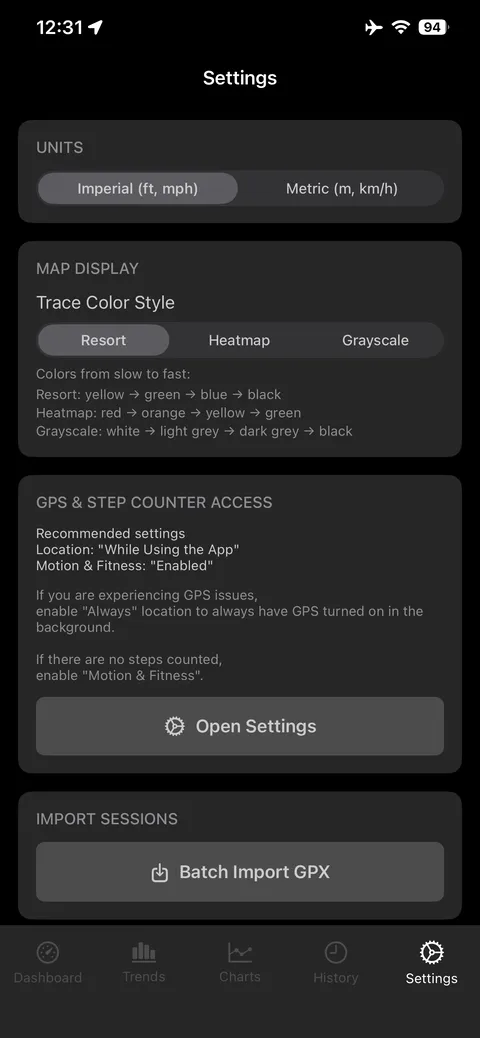
POW RIDER settings screen
Settings
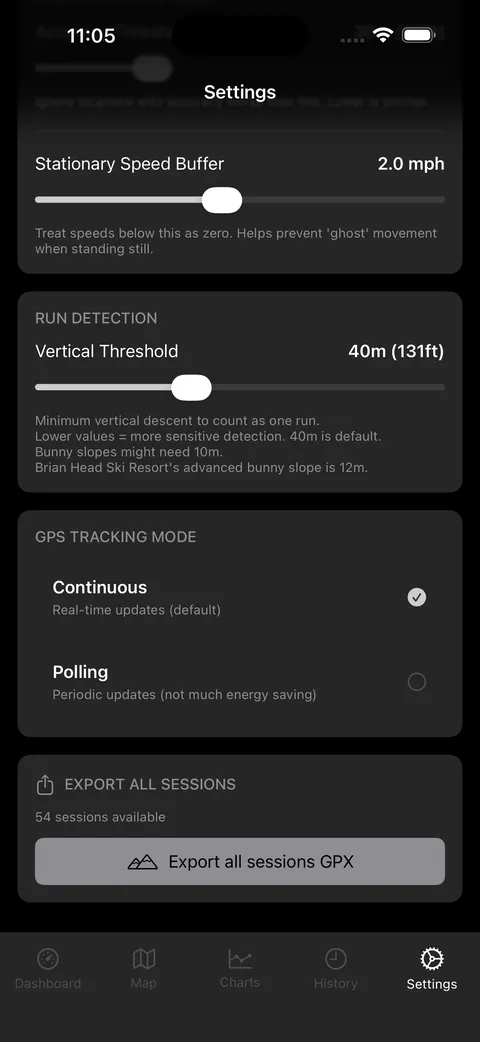
Bulk data export option in settings
Bulk export of everything recorded
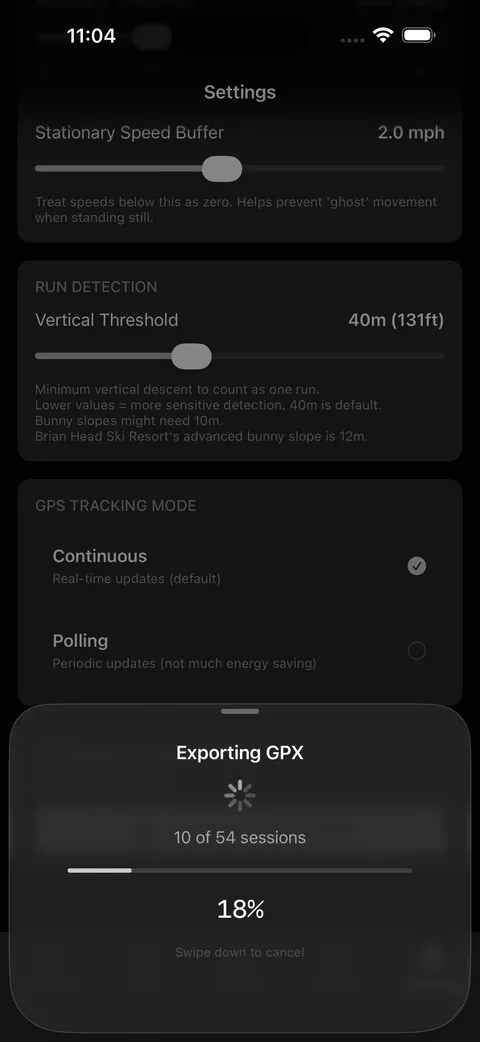
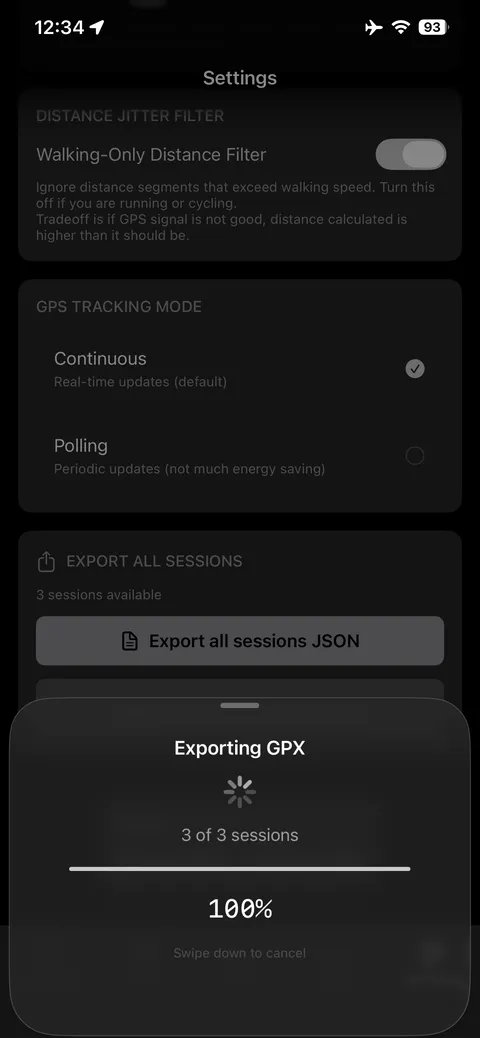
Data export running with a progress indicator
Export in progress
STRONK Workout Tracker app icon

Workout Tracker

STRONK: A Workout Tracker
iOS Live

A workout logger designed around the annoyances of actually being in a gym: a screen that won't lock between sets, your personal record visible while you log, and a rest timer that works correctly even when you are looking at another app when resting.

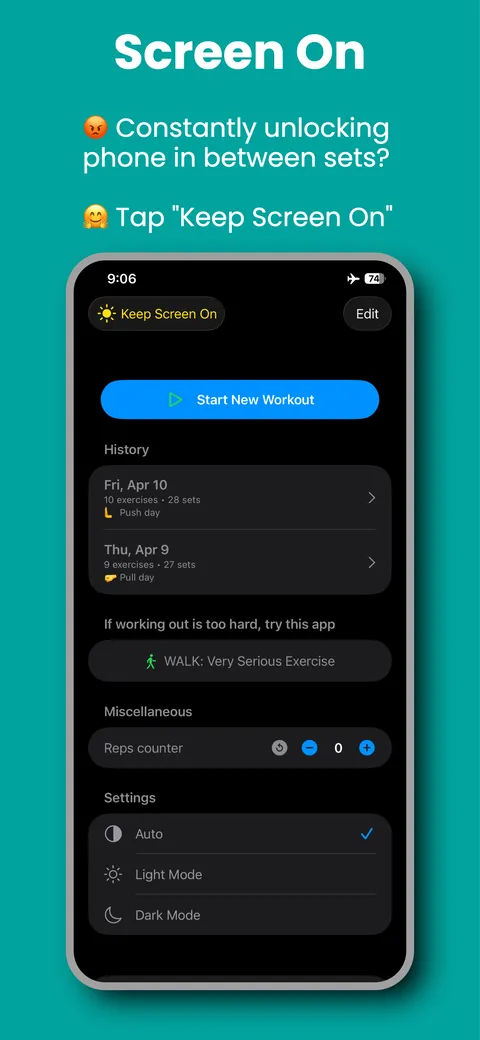
  • Keep Screen On: stop unlocking your phone between sets
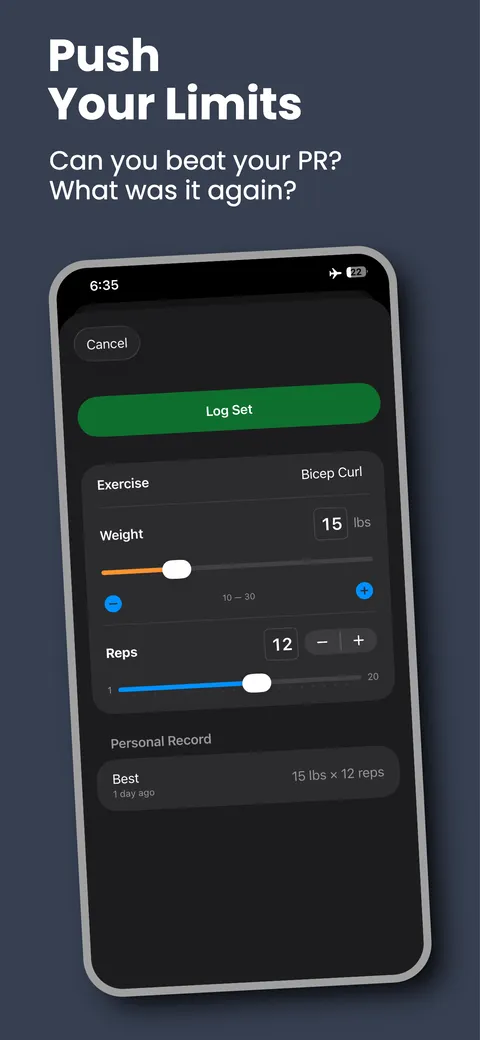
  • Personal record shown while you log the set
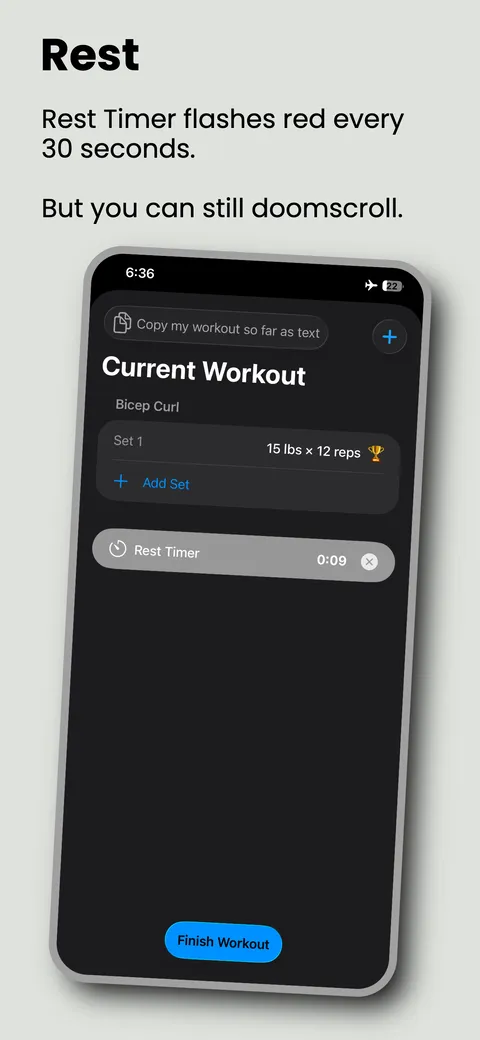
  • Rest timer that pulses red every 30 seconds
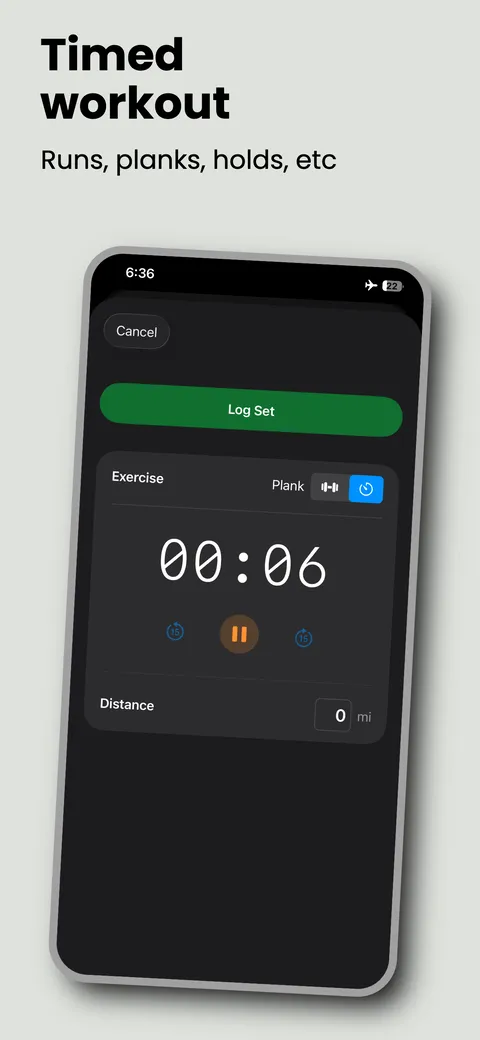
  • Weight-and-rep or timed exercises: planks, holds, runs
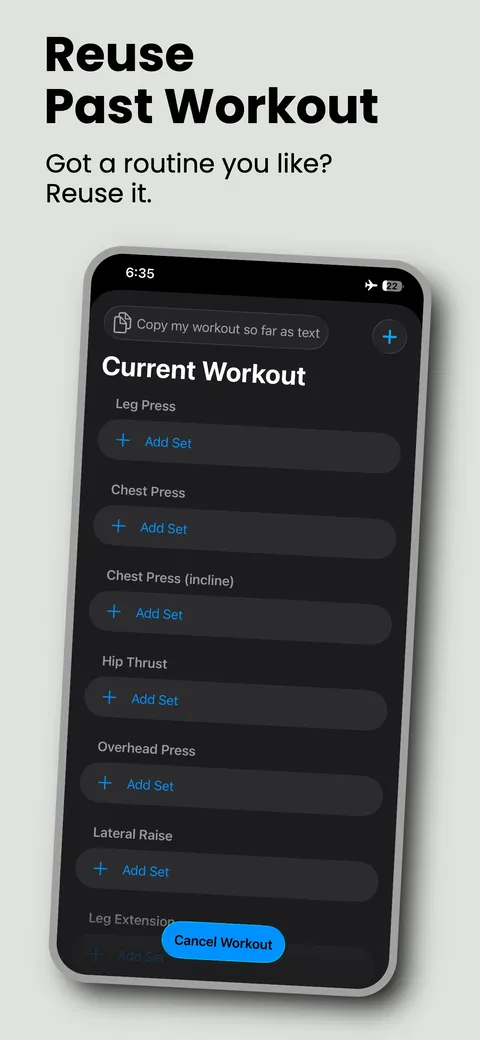
  • Reuse a past workout as today's template
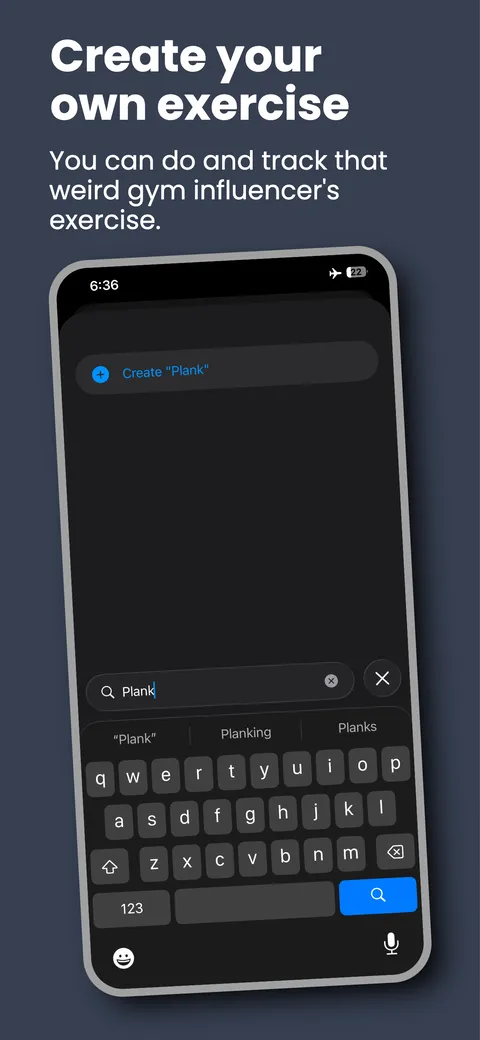
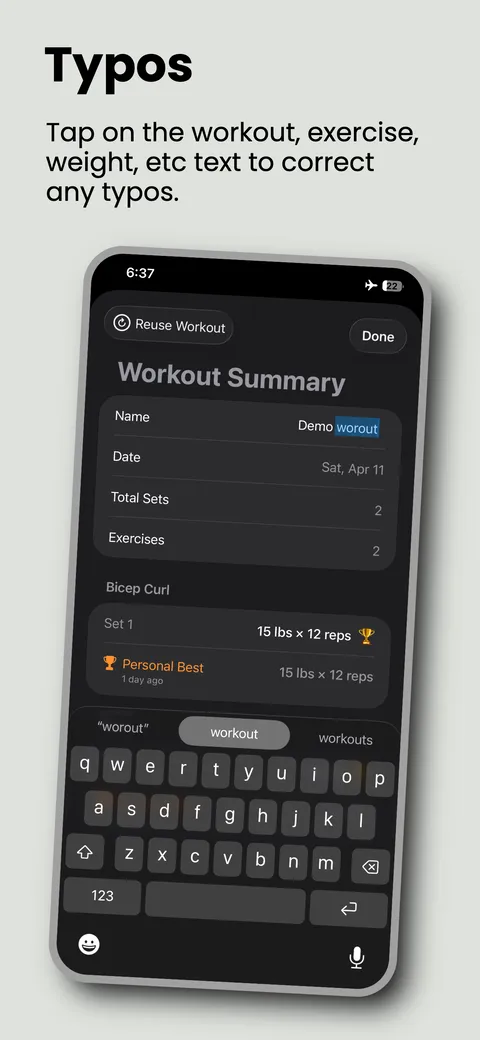
  • Create custom exercises, and fix typos by tapping any text
STRONK home screen with a Keep Screen On toggle and workout history
Keep Screen On: no unlocking between sets
A past workout reused as a template with every exercise ready to log
Reuse a routine you already like
Logging a bicep curl set with the personal record displayed below
Log a set with your PR in view
A timed plank being recorded with a running stopwatch
Timed exercises for planks, holds, and runs
Rest timer counting up under the current workout
Rest timer that flashes every 30 seconds
Creating a custom exercise called Plank from the search field
Create your own exercise on the spot
Editing the workout name inline to correct a typo
Tap any text to fix a typo
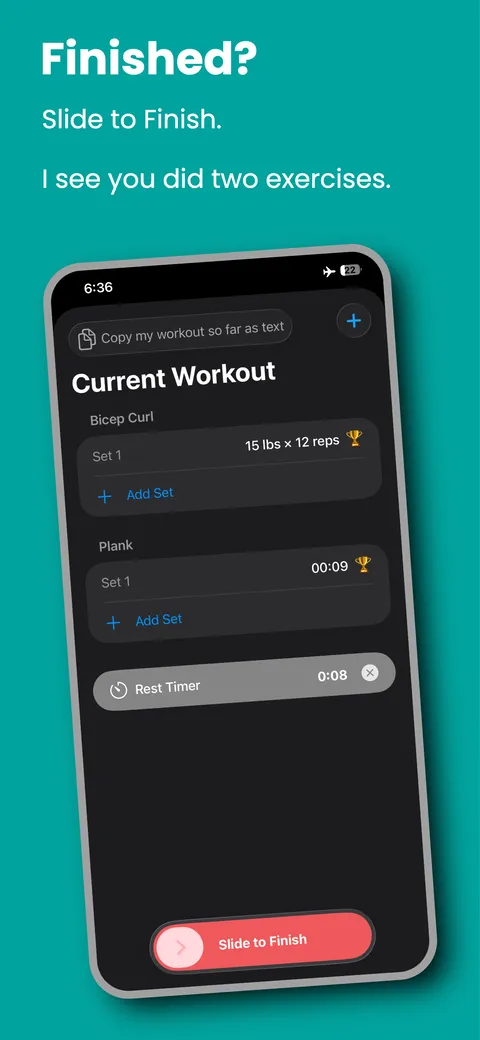
Slide to finish control at the bottom of a completed workout
Slide to finish the session
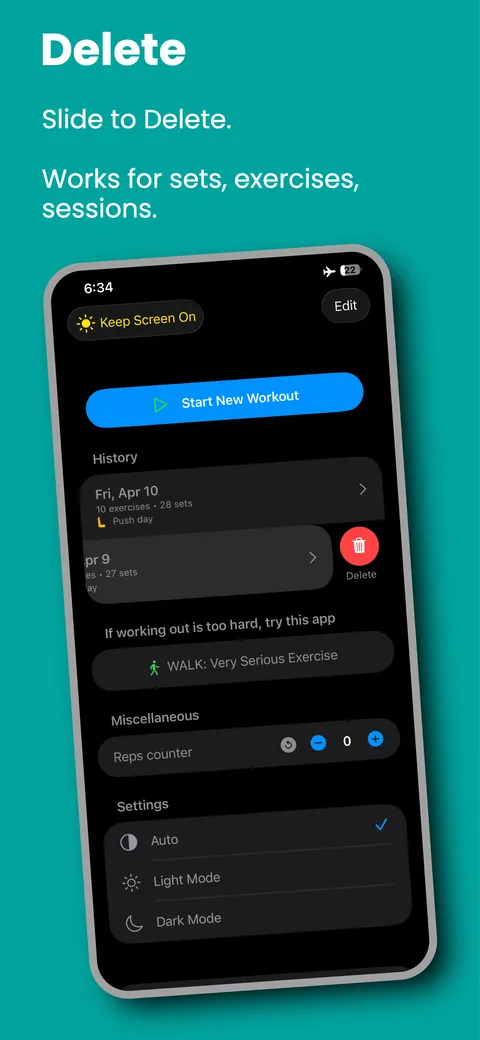
Swiping a workout in the history list to reveal a delete action
Slide to delete sets, exercises, or sessions
WALK Tracker app icon

Walk Tracker

WALK: Very Serious Exercise
iOS Live

Session tracking for your walks. It counts your distance, steps, duration, pace. And a map of where you have explored.

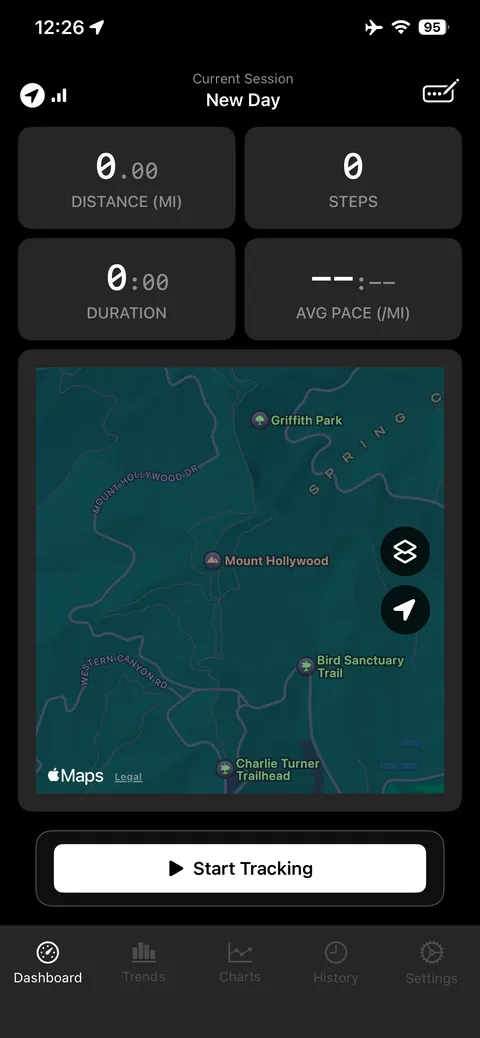
  • Live distance, steps, duration, pace
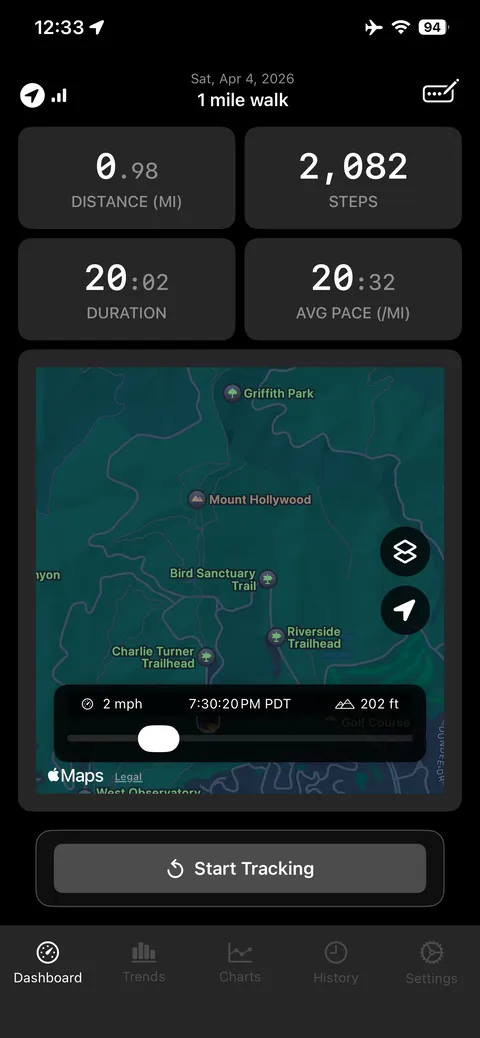
  • Route map with a time scrubber
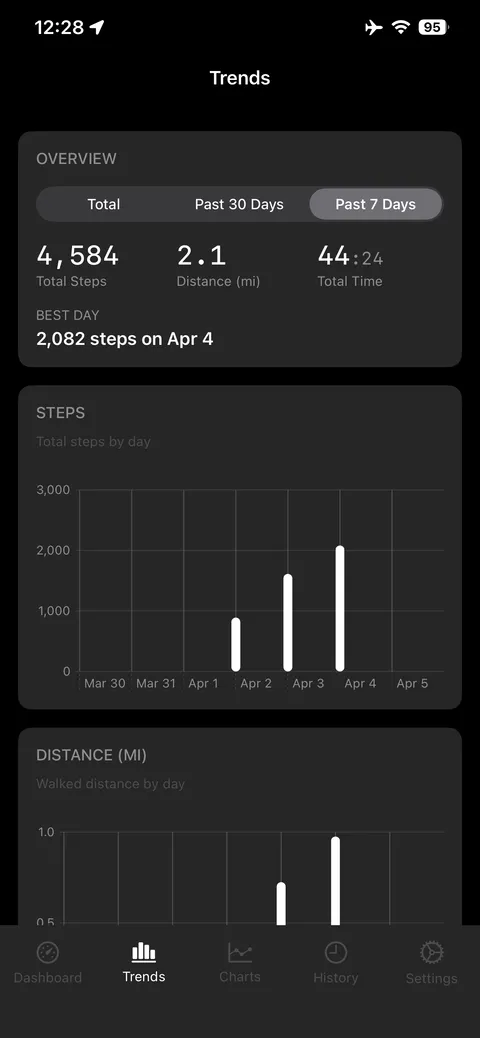
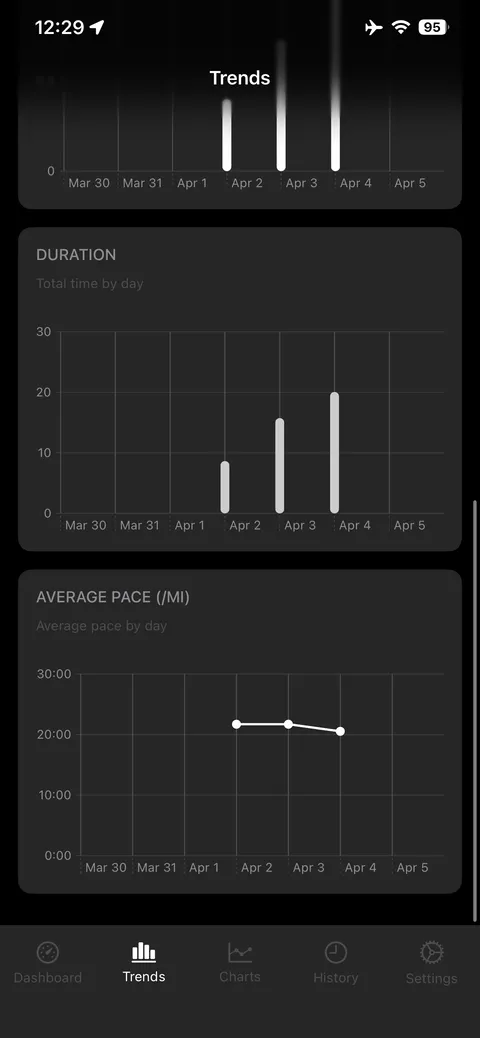
  • Trends across 7 days, 30 days, or all time
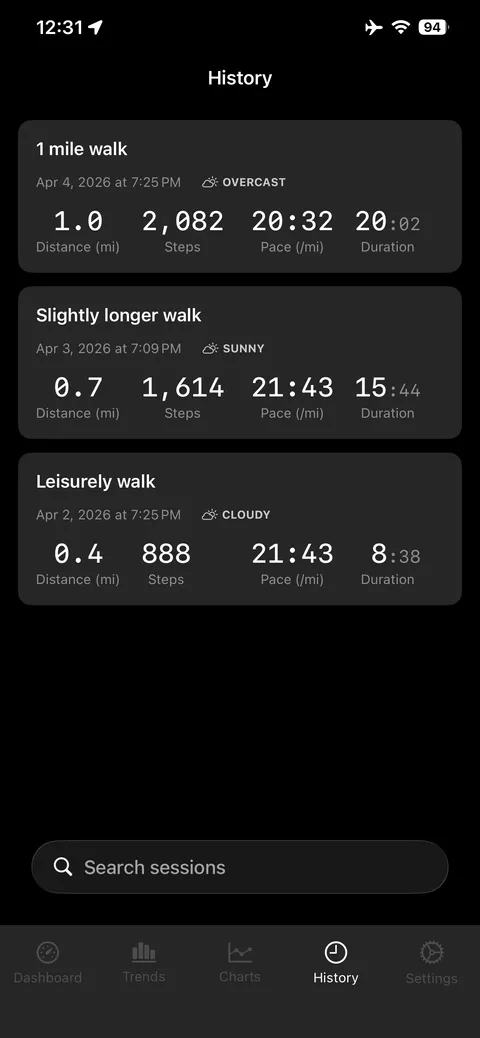
  • Full session history and data export
Walk dashboard ready to start, showing distance, steps, duration, pace and a map
Start a session: distance, steps, duration, pace, map
Completed one mile walk with 2,082 steps over 20 minutes and a route map
Replay finished walk on the map
Trends overview with total steps, distance, time and a steps-per-day chart
Trends over 7 days, 30 days, all time
Distance and duration charts broken out by day
Distance, duration and pace broken out by day
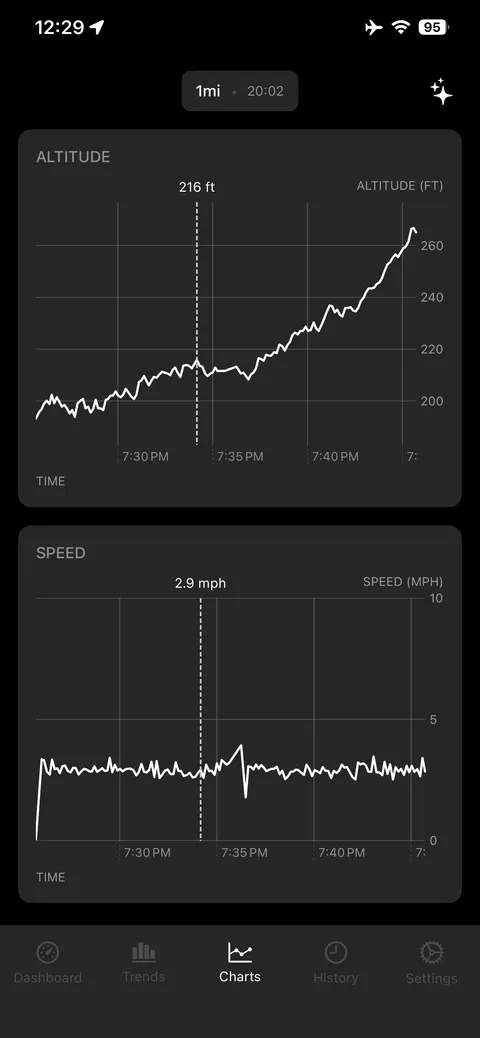
Altitude and speed charts for a one mile walk
Altitude and speed for the session
List of past walking sessions
Session history
WALK settings screen
Settings
Data export options in WALK settings
Take your data with you
CLICK CLOCK Visual Timer app icon

Pomodoro Visual Timer

CLICK CLOCK: A Visual Timer
iOS Live

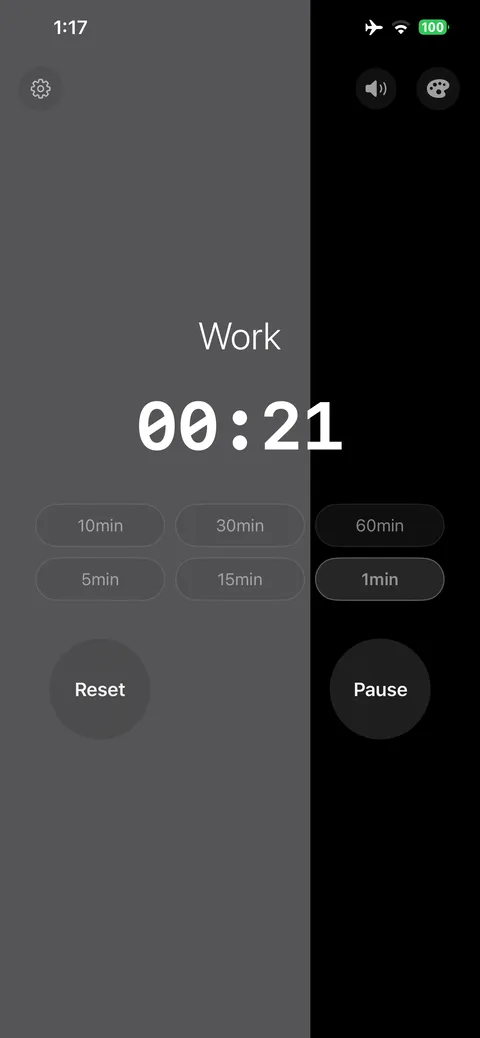
A replacement for a $20 desk gadget. The screen itself drains as the time runs down, so you can read how much is left from across the room without squinting at digits.

  • The whole screen empties as the time passes
  • Work and break modes with one-tap presets
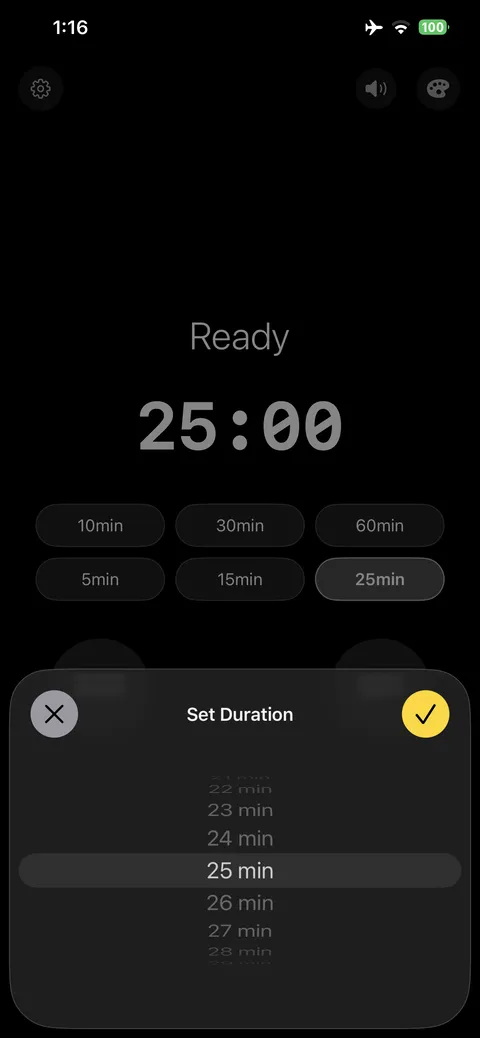
  • Custom durations down to the minute
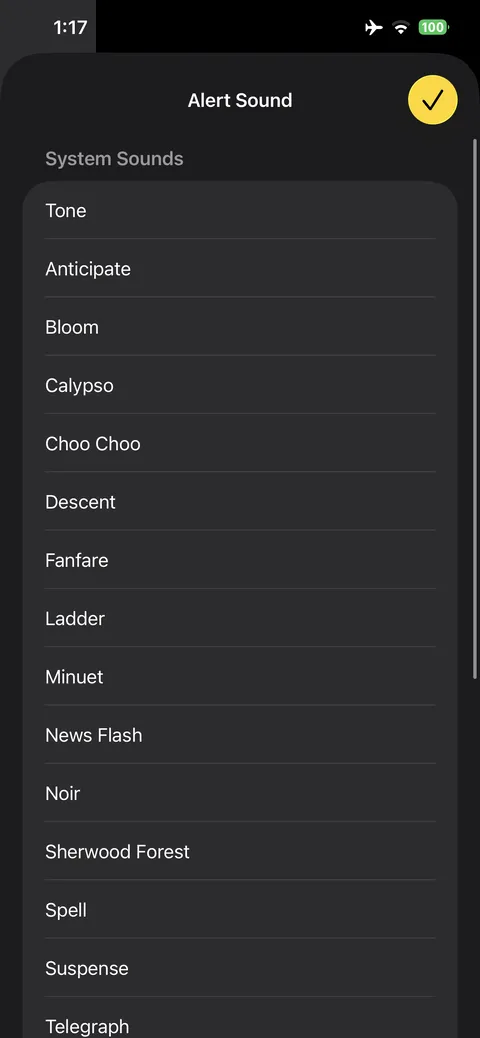
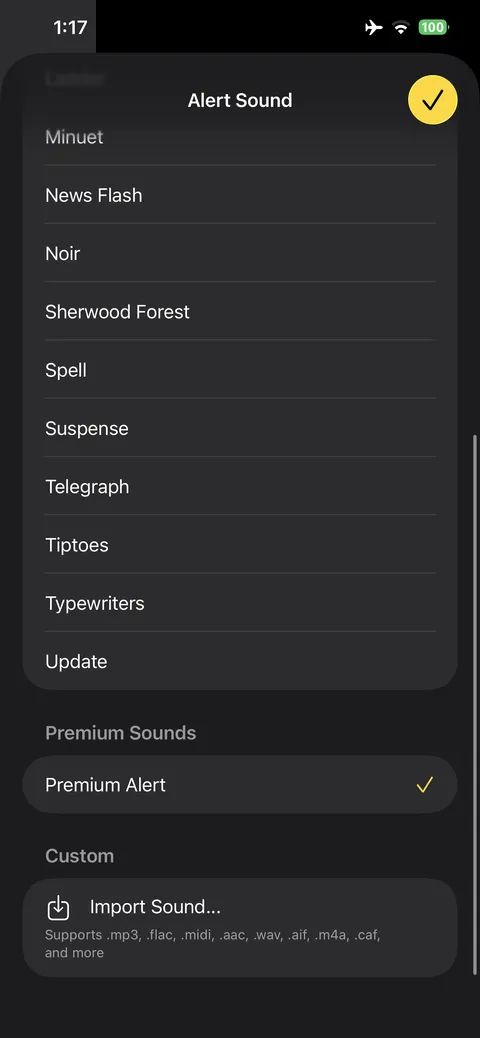
  • Dozens of alert sounds, or import your own audio
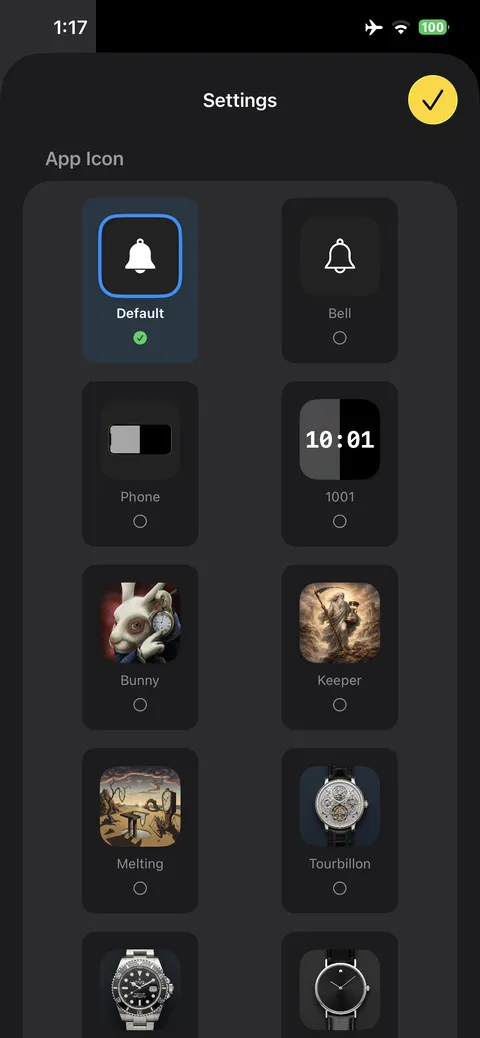
  • Ten alternate app icons
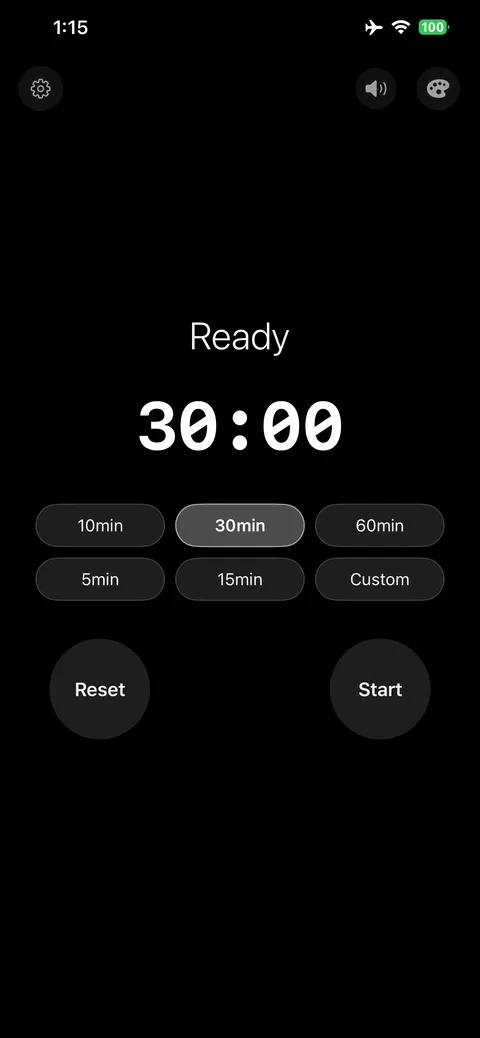
Timer ready at 30:00 with duration presets from 5 to 60 minutes
Timed presets, or something custom
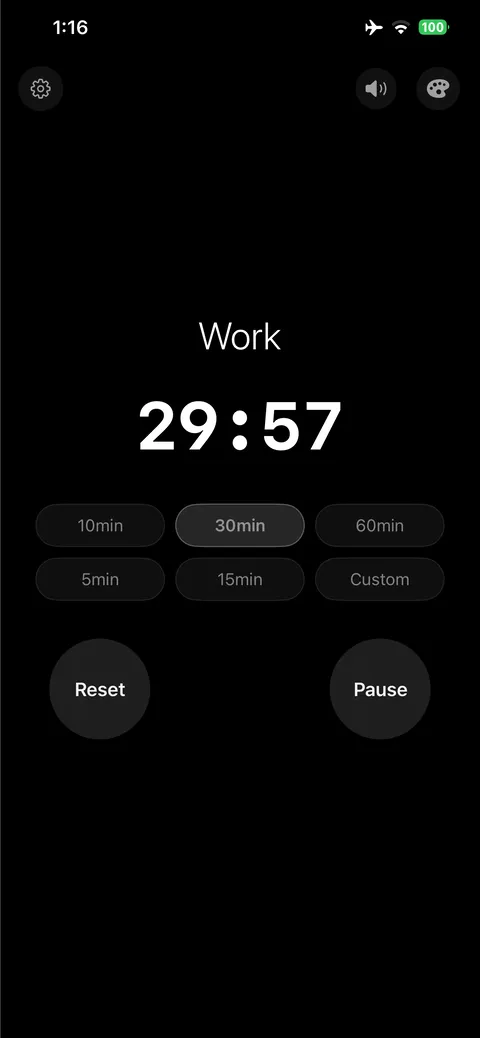
Work session running with 29:57 remaining
A work session, just started
Timer at 21 seconds with two thirds of the screen filled to show elapsed time
The screen drains as the time runs out
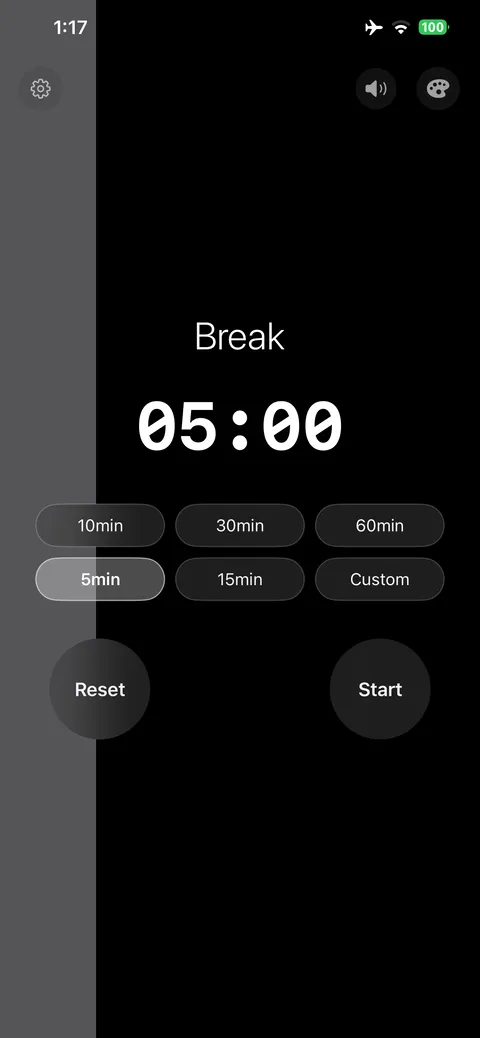
Break mode set to five minutes
Break mode, five minutes
Duration picker set to 25 minutes
Set any duration you like
List of system alert sounds to choose from
Pick from the system alert sounds
Custom sound import supporting mp3, flac, midi, wav and more
Or use your own audio file
Alternate app icon picker with ten designs
Ten alternate app icons
WiFi Analyzer app icon

WiFi Analyzer

Strongest WiFi Finder Analyzer
Android Live

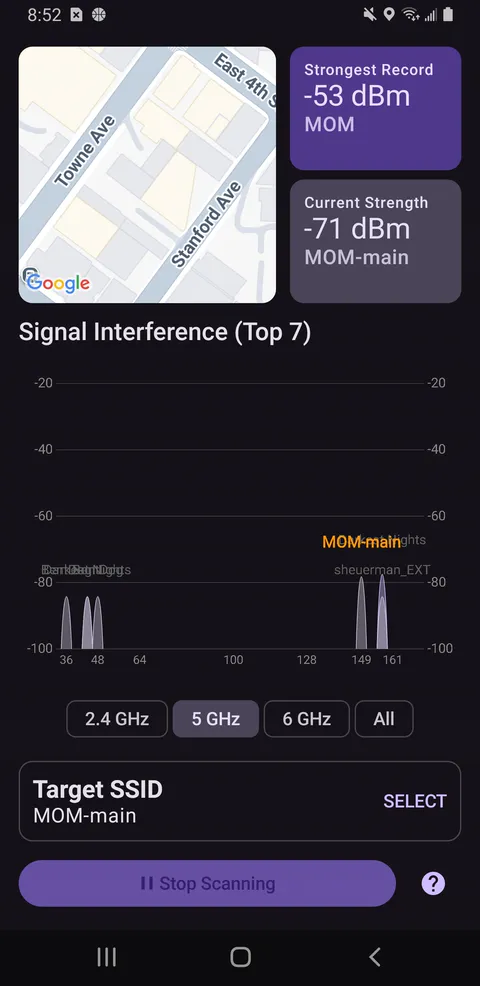
Built to answer one question: where in this building is the signal strongest? It samples as you walk, remembers the best reading, and plots every nearby network by channel so you can see what the interferences are.

  • Live signal strength alongside the strongest reading recorded
  • Chart across 2.4, 5, and 6 GHz bands
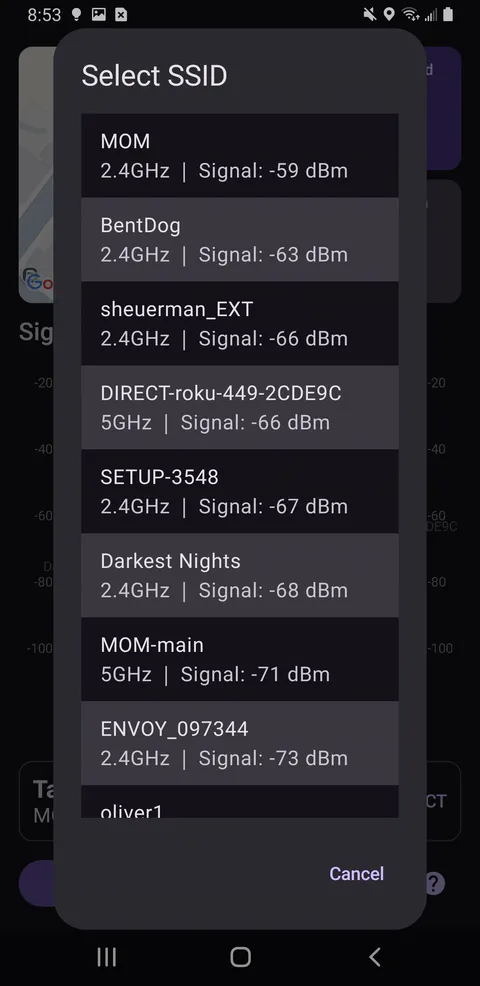
  • Pick any SSID as the target
  • Map showing where the measurements were taken
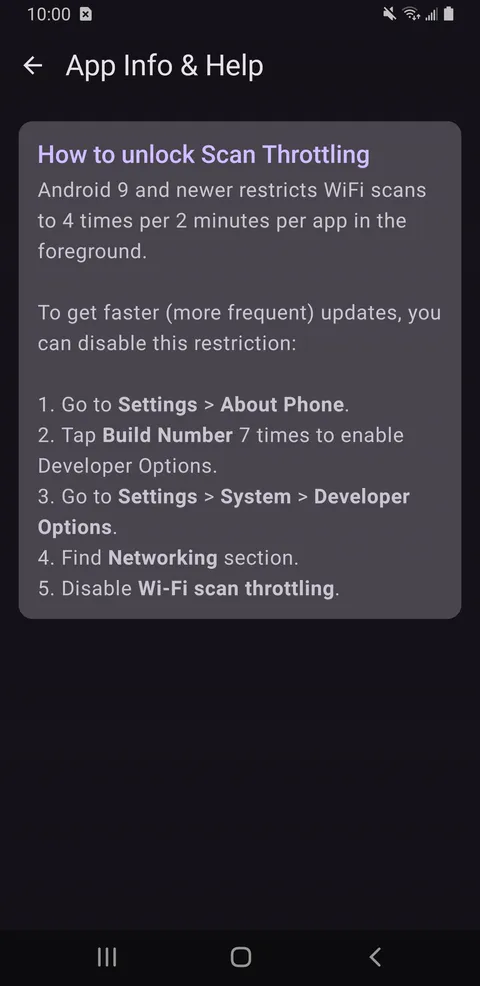
  • In-app help for Android's scan-throttling limits
Signal strength of -71 dBm with a best record of -53 dBm and a channel interference chart
Live strength, best record, and channel interference
SSID picker listing nearby networks with band and signal strength
Pick any nearby network as the target
In-app help explaining how to unlock Android WiFi scan throttling
Help for Android's scan-throttling limits

Web apps

No account signup needed. For golf equipment tracker, use promocode LuigiIsTheBest to get 100% discount forever (free forever, no need to enter credit card info).

Privacy is the default.

Every Cosmometrics mobile app works on-device. No internet and no account needed. Nobody sells your data, because there is nothing to sell.

No data collectedRead it in the Privacy Policy. Nothing to leak, nothing to sell.
No accounts neededOpen an app and go. No sign-up, no login, no internet needed.
Yours, on-deviceYour activity stays on your phone, with option to export data out.

Behind Cosmometrics

One person, obsessed about metrics and visualizations.

I'm Luigi. I design, build, and ship every app on this page myself, from the first sketch through the store listing, the icons, and the screenshots you have been scrolling through.

My background is in platform engineering (SRE, Integrations, CI/CD), software engineering (web, data science), and qa (testing, automation, evals). I studied computational biology in school, and had worked with individuals and with companies of various stages from seed/A/B/late-stage startups to public companies.

If you want to talk about any of this, the apps, the approach, or building something together, my inbox is open.